
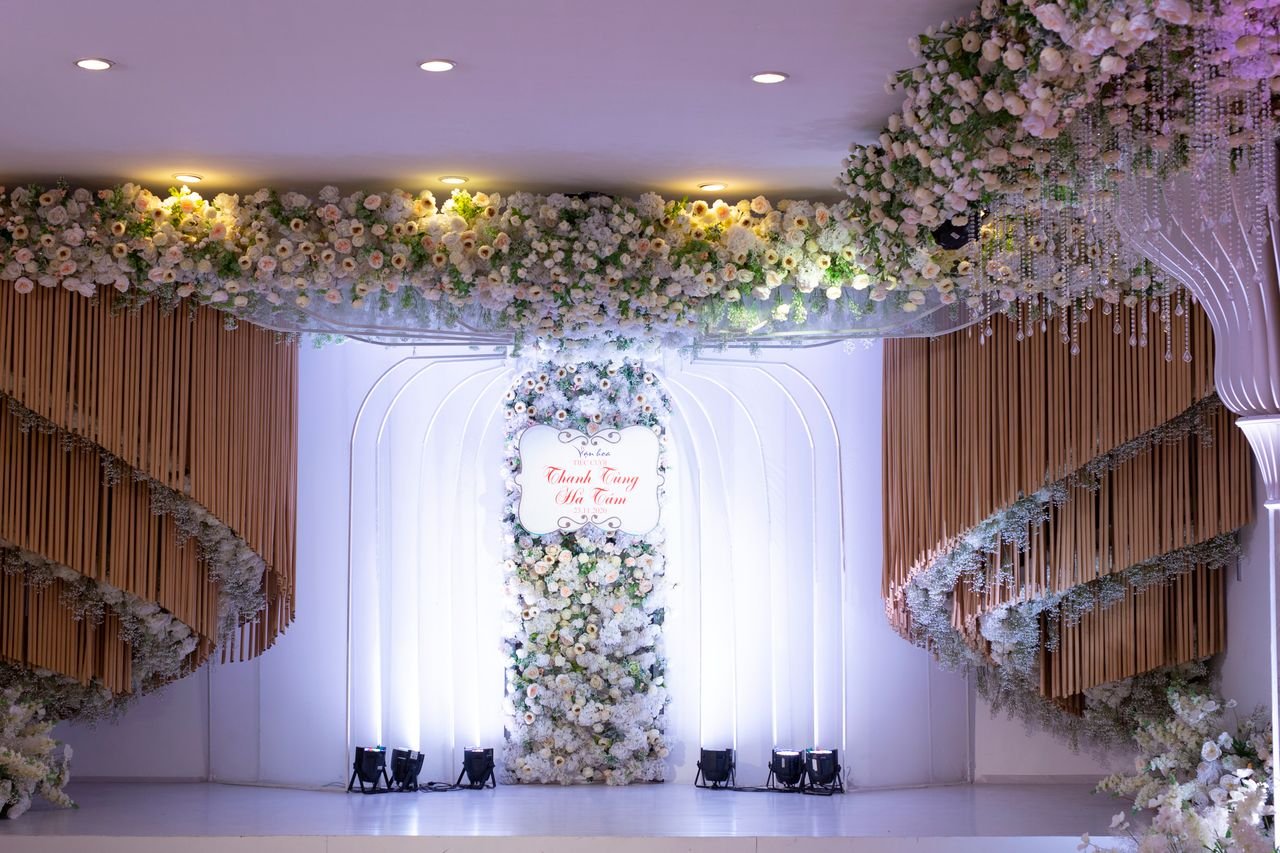
A great event starts with a clear idea of what attendees should see, hear, and feel; stage design plays a major role in shaping that experience. The right backdrop, lighting, screen placement, stage layout, and visual elements can turn an ordinary venue into a branded environment that feels intentional from the moment guests enter. A well-planned stage can also support speakers, presentations, entertainment, and audience interaction instead of simply decorating the space.
Why Stage Design Matters at Corporate Events
Walk into a room with a bare stage.
Now picture the same room with a large LED wall, carefully positioned lighting, branded graphics, a custom platform, and a presenter standing in the center.
The difference is immediate.
The stage establishes expectations before the first speaker says a word.
It can make an event feel sophisticated, energetic, innovative, intimate, or immersive.
That is why stage design should not be treated as an afterthought. It should be part of the event strategy from the beginning.
A corporate conference may need a polished and professional environment.
A product launch may need dramatic visuals.
A sales meeting may benefit from an energetic setup that keeps employees engaged.
A panel discussion may require a more conversational arrangement.
The stage should match the purpose of the event.
Start With the Event’s Purpose
The best stage designs begin with a simple question:
What is this event supposed to accomplish?
The answer influences almost every production decision.
For example, a technology conference may use geometric shapes, LED screens, cool lighting, and digital content. A leadership summit may use a clean stage, comfortable seating, and warm lighting. A product launch may use a large central screen that gives the product visual priority.
The design should support the message.
It should not compete with it.
Consider the main moments of the event before choosing the physical setup.
Will one person deliver a keynote?
Will several executives participate in a panel?
Will presenters walk across the stage?
Will there be live demonstrations?
Will performers use the space?
Will remote speakers appear on screen?
Each situation creates different technical and spatial requirements.
Choose the Right Stage Layout
Stage orientation affects more than appearance.
It affects movement.
It affects sightlines.
It affects camera positions.
It affects audience interaction.
A traditional front-facing stage works well for keynote presentations. A wider stage can create more room for multiple speakers. A center-stage or circular configuration can encourage greater audience engagement.
The venue will also influence your options.
A stage that looks impressive in a rendering may not work inside the actual room.
Columns can block sightlines.
Low ceilings can restrict equipment.
Limited rigging points can affect lighting placement.
Audience seating can determine how large the stage needs to be.
The production team should evaluate the room before finalizing the design. Catalyst notes that stage size and orientation should account for venue restrictions, guest movement, speaker movement, and audience interaction.
Build a Strong Visual Backdrop
The backdrop is one of the first elements people notice.
It can be simple.
It can also be highly technical.
Common options include:
- LED walls
- Projection screens
- Printed scenic backdrops
- Modular walls
- Branded panels
- Digital displays
- Custom scenic structures
An LED wall offers significant flexibility.
The screen can display a company logo before the event starts. It can switch to presentation graphics during a keynote. It can show speaker close-ups during a panel. It can display animated content during transitions.
One physical surface can support dozens of different visual moments.
That makes digital backdrops particularly useful for conferences and events with multiple sessions.
Use Lighting to Change the Mood
Lighting is one of the easiest ways to change how a stage feels.
Bright white lighting can create a clean corporate look.
Blue lighting can create a modern atmosphere.
Warm lighting can make a panel feel more intimate.
Moving lights can add energy to a product launch.
Accent lighting can highlight architectural elements or branded structures.
The key is coordination.
A lighting design should work with the stage shape, video content, camera positions, and event schedule.
For example, a presenter standing in front of an LED wall needs enough front lighting to remain clearly visible on camera. Too much light directed at the screen can reduce the visual impact of the content.
Good lighting balances the presenter and the environment.
It does not simply make everything brighter.
Make Screens Easy to See
A screen is only useful if attendees can actually see it.
Screen size should correspond to the room.
Placement matters too.
A screen positioned too low may be blocked by people sitting in front.
A screen positioned too high may create an uncomfortable viewing angle.
Multiple screens can help solve sightline problems in large venues.
A central LED wall can serve as the primary visual surface. Additional side screens can display presentation content or camera feeds for people seated farther from the stage.
This becomes especially important for large conferences.
People sitting at the back should still be able to read presentation slides.
They should also be able to see the speaker.
Visual accessibility is part of good stage design.
Think About the Audience’s Perspective
Designers naturally focus on the stage.
Attendees see something different.
They see the stage from dozens or hundreds of different angles.
Someone may sit directly in front.
Another attendee may sit far to the left.
Someone else may be near the back of the room.
A good design considers all of them.
Walk through the venue before finalizing the layout.
Look at the stage from different seating positions.
Check whether speakers are visible.
Check whether screens are blocked.
Check whether lighting creates glare.
Check whether scenic elements interfere with cameras.
This simple exercise can reveal problems before event day.
Use Branding Without Overloading the Stage
Branding is important.
Too much branding can become distracting.
A stage does not need a logo on every surface.
Instead, identify the visual elements that matter most.
The company logo might appear on the main screen.
Brand colors can influence lighting.
A tagline might appear during transitions.
Custom scenic elements can reinforce the company’s visual identity.
Strong branding feels integrated into the environment.
It should look like part of the design rather than a collection of logos placed around the room.
This approach also makes the stage more visually appealing in photographs and video.
Create Different Looks for Different Sessions
One stage does not need to look identical for the entire event.
Digital technology makes it possible to create multiple visual environments without rebuilding the stage.
A keynote could use bold branded graphics.
A panel could switch to a more understated background.
A product demonstration could use full-screen product imagery.
An awards segment could use animated graphics and dramatic lighting.
The physical structure stays the same.
The atmosphere changes.
This gives the event a sense of progression.
Attendees can immediately recognize that the program has moved into a new section.
Add Interactive Elements
Modern audiences expect more than passive presentations.
Interactive technology can make a stage more engaging.
Consider adding:
- Touchscreens
- Interactive displays
- Digital whiteboards
- Product demonstrations
- Audience polling
- Live Q&A
- Interactive graphics
A product launch could bring the product onto the stage while related information appears on an LED wall.
A sales meeting could display live audience responses.
A training session could use an interactive screen for demonstrations.
The technology should always have a purpose.
Interaction works best when it directly supports the content.
Adding technology simply because it looks impressive can create unnecessary complexity.
Consider Hybrid Audiences
Today’s events may have people watching from several locations.
Some attendees sit in the venue.
Others watch online.
That changes stage design.
The stage needs to work in person and on camera.
Camera angles become important.
Presenter positioning matters.
Screen content needs to remain readable on a smaller display.
Lighting needs to work for broadcast.
Microphones need to provide consistent audio.
Catalyst provides multi-camera production, encoding, livestreaming, and hybrid event support as part of its event production services.
A stage designed for both physical and remote audiences needs to be treated as a production environment, not just a backdrop.
Use Scenic Elements to Add Dimension
Flat screens are not the only way to create visual interest.
Scenic elements can give a stage depth.
Consider raised platforms.
Curved walls.
Custom geometric structures.
Steps.
Freestanding panels.
Architectural shapes.
Fabric.
Greenery.
Furniture.
These elements can frame the presenter and create layers within the stage.
They also provide opportunities for lighting.
A textured wall can look completely different under different lighting conditions.
A raised platform can give a keynote speaker a stronger visual position.
A curved scenic element can soften a technical environment.
Catalyst identifies backdrops, platforms, multiple levels, modular walls, furniture, and props as useful components of event set design.
Match the Design to the Venue
The venue should influence the creative direction.
A ballroom offers different opportunities from a theater.
An outdoor event creates different technical requirements from an indoor conference.
A small executive meeting requires a different scale from a convention with thousands of attendees.
Outdoor stages require particular attention to weather, acoustics, lighting, power, and equipment protection.
Indoor venues may have restrictions involving ceiling height, rigging, electrical capacity, and load limits.
The most impressive stage is not necessarily the largest one.
The right stage is the one that fits the room and supports the event.
Plan for the Camera
A stage can look fantastic in person and still look poor on video.
Camera planning should happen alongside stage planning.
Think about where the cameras will sit.
Think about what they will capture.
Think about how speakers will move.
Think about whether presenters will stand in front of important graphics.
Think about whether lighting will create harsh shadows.
Think about what remote attendees will see.
A professional production team can coordinate stage design, lighting, video, and camera positions so these elements work together.
Catalyst’s event production services include stage design, lighting, video, streaming, and on-site production management.
Don’t Forget Sound
A stage can look incredible and still fail if nobody can hear the presenter.
Microphone selection depends on the format.
A keynote speaker may use a wireless lavalier or headset.
A panel may require several wireless microphones.
A performer may need a handheld microphone.
Interactive events may require microphones that allow speakers to move freely.
Speaker placement matters too.
The sound system should be designed around the venue, audience size, stage configuration, and type of program.
Visual production and audio production should be planned together.
A beautiful stage does not compensate for poor sound.
Keep the Design Practical
Creativity matters.
So does practicality.
Every stage element adds another consideration.
Large scenic structures require transportation.
Suspended equipment requires appropriate rigging.
LED walls require power and signal distribution.
Complex lighting systems require programming and operators.
Special effects may require additional safety planning and venue approval.
A strong production plan considers these requirements before event day.
Catalyst describes its full-service approach as covering technical planning from concept through equipment teardown, with in-house expertise across areas such as video production, stagecraft, lighting design, and audio engineering.
The Best Stage Design Supports the Story
A memorable stage is not memorable because it has the most equipment.
It is memorable because every element serves a purpose.
The colors support the brand.
The lighting supports the mood.
The screens support the message.
The layout supports the speakers.
The sound supports the content.
The cameras support the remote audience.
The scenic elements support the overall visual identity.
Everything works together.
That is what separates a decorated stage from a professionally designed event environment.
Final Thoughts
Great events create moments that people remember long after they leave the venue. The stage is often at the center of those moments. A thoughtful design can establish the right atmosphere, strengthen branding, improve visibility, support presentations, and create a better experience for both in-person and remote audiences. Whether you are planning a conference, product launch, sales meeting, awards ceremony, or hybrid event, start with the purpose of the event and build the production around it. When layout, lighting, sound, visuals, staging, and technology work together, the result feels intentional from beginning to end. For more inspiration and professional support, explore stage design ideas that can help turn your next event into a more engaging and memorable experience.
 Admin
Admin  Abdul Basit