

SFM compile” means two different things in Source Filmmaker:
- Compiling assets: converting models, textures and maps into formats SFM can read (.mdl, .vtf, .vmt).
- Exporting your scene: rendering your project into a video or image sequence.
This guide covers both, with the most detail on model compiling, since that is where most people get stuck.
What You Need Before You Start
- Source Filmmaker (installed through Steam)
- Crowbar, a free tool that compiles and decompiles Source models
- Blender with Blender Source Tools, to export SMD/DMX files
- VTFEdit, to convert PNG/JPG textures into .vtf
- A text editor for writing QC files
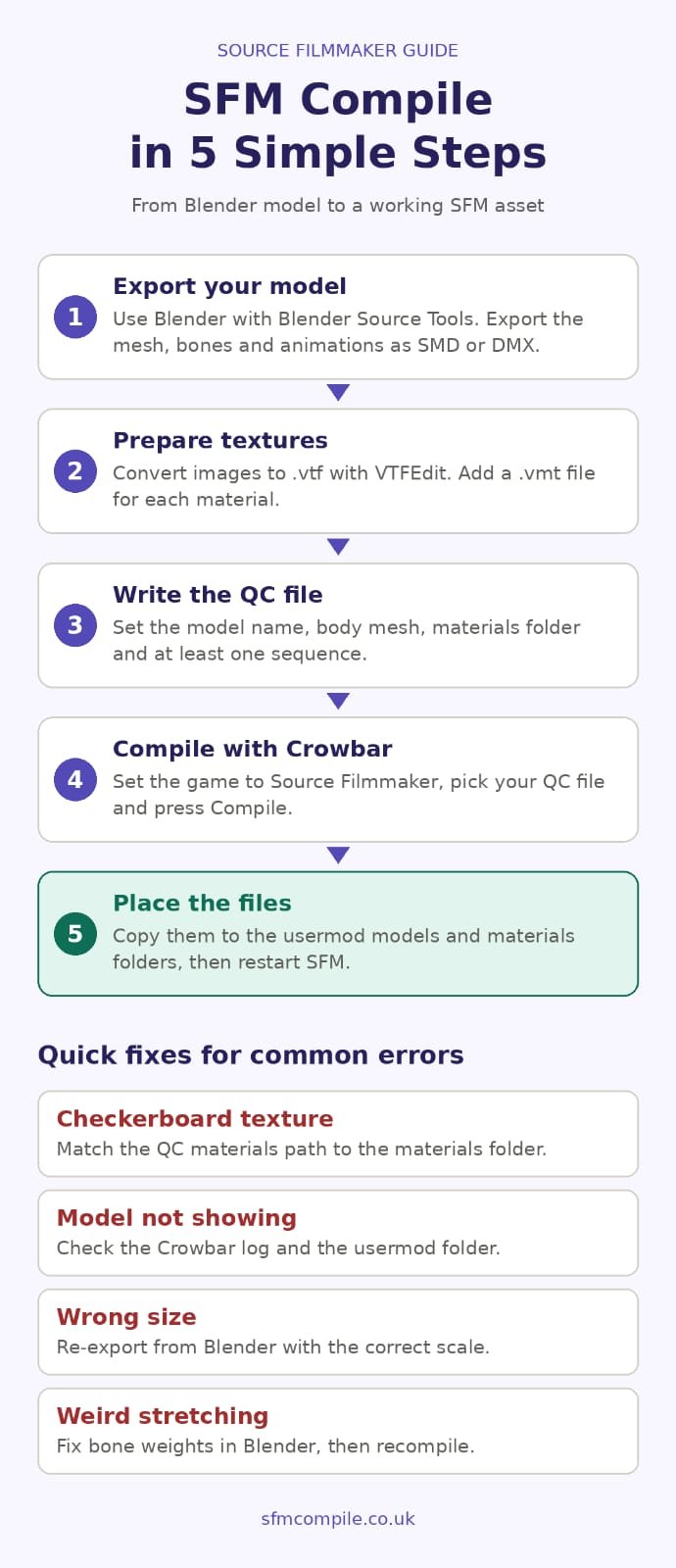
How to Compile a Model for SFM (Step by Step)
Step 1: Export your model. In Blender, export the mesh, skeleton and animations as SMD or DMX using Blender Source Tools. Keep the scale reasonable and the bones named clearly.
Step 2: Prepare textures. Convert your images to .vtf with VTFEdit. Then create a .vmt file for each material that points to its texture.
Step 3: Write the QC file. The QC file tells the compiler how to build the model. At minimum it needs:
$modelname, the output path$body, the reference mesh$cdmaterials, the folder where materials are stored$sequence, at least one idle animation
Step 4: Compile with Crowbar. Open Crowbar, set the game to Source Filmmaker, select your QC file and press Compile. Crowbar runs studiomdl for you and shows the log.
Step 5: Place the files. Compiled files go in your SFM usermod folder, under models for the model and materials for textures. Restart SFM so it picks them up.
How to Export (Render) Your SFM Project
Open your scene, go to File → Export → Movie, and choose your output (video or image sequence), resolution and frame range. Render a short preview first to catch problems early. Use an image sequence for the final render, so a crash doesn’t cost you the whole video.
Common SFM Compile Errors and Fixes
| Problem | Likely cause | Fix |
|---|---|---|
| Purple-black checkerboard texture | Wrong $cdmaterials path or missing .vmt |
Match the path in the QC file to the folder in materials |
| Model doesn’t appear in SFM | Files in the wrong folder, or compile failed | Check the Crowbar log and confirm the files are in usermod |
| Model is huge or tiny | Scale mismatch at export | Re-export from Blender with the correct scale |
| Weird stretching when posed | Bad bone weights | Fix the weight painting in Blender and recompile |
| Compile stops with an error | Typo in the QC file or a missing file path | Read the last lines of the Crowbar log, because the error is usually named there |
Tips for a Clean Compile
- Keep the polygon count reasonable so the model runs smoothly.
- Always include a collision model if the model needs physics.
- Use clear, consistent folder names and keep all paths lowercase.
- If you have many models, batch compile them with Crowbar’s queue.
FAQs
What does SFM compile mean?
It means either converting custom assets into Source-compatible formats or rendering your finished scene into a video.
Which tool is best for compiling SFM models?
Crowbar is the most popular choice because it is free and wraps studiomdl in a simple interface.
Why is my compiled model showing missing textures?
Almost always a wrong $cdmaterials path or a missing .vmt file.